Recipe Nutrition Calculator — Enter Ingredients
Add Ingredient
Recipe Ingredients
No ingredients yet. Search and add items above.
Values are estimates based on standard per-100 g reference data. Brand products, cooking methods, and moisture changes can shift actual nutrition. Weigh ingredients in grams for best precision.
Educational tool, not medical advice. Check this tool’s method and limitations before interpreting a result. Talk to a qualified healthcare professional before making decisions about medication, diet, exercise, or treatment. See our Terms of Use.
Your rating helps improve Recipe Nutrition Calculator. We store only an anonymized vote (no personal data).
How to Use Recipe Nutrition Calculator
Step 1: Search and select ingredients
Type a food name in the search box to find it in our database of 50+ common ingredients. Select the one you need, or add a custom ingredient from any nutrition label.
Step 2: Enter amount and unit
Type the quantity and choose your preferred unit — grams, ounces, cups, tablespoons, or teaspoons. The tool converts volume to grams automatically using ingredient‑specific densities.
Step 3: Repeat for all ingredients
Add every ingredient in your recipe, including oils, sauces, and seasonings. Each item appears in the ingredient list where you can edit the amount or remove it.
Step 4: Set the number of servings
Enter how many servings your recipe makes. The calculator divides the recipe totals by servings to show per‑serving macros instantly.
Step 5: Review per‑serving macros
Check calories, protein, carbs, fat, fiber, sugar, sodium, and net carbs per serving. The macro percentage bar shows the protein/carbs/fat split at a glance.
Key Features
- Searchable ingredient database with 40+ common foods
- Measure in grams, ounces, cups, tablespoons, or teaspoons
- Per‑serving macros with calorie percentage breakdown
- Custom ingredient entry from any nutrition label
- Fiber, sugar, sodium, and net carbs tracking
Understanding Your Recipe Macros
How recipe macros are calculated
The recipe nutrition calculator scales each ingredient's nutrition by weight, sums the totals, and divides by your servings. For an ingredient with per‑100‑gram values, the formula is: nutrient value × (grams ÷ 100). Calories are derived from the three macronutrients using the Atwater factors: protein 4 kcal/g, carbohydrate 4 kcal/g, and fat 9 kcal/g. The macro percentage bar shows the proportion of calories from each source so you can see your recipe's balance at a glance.
Interpreting per‑serving results
Per‑serving outputs help you compare recipes against your daily nutrition targets. A useful benchmark is 20–40 g of protein per meal depending on body size and goals. Keep an eye on sodium (under 600 mg per meal is a common target), added sugars, and fiber (aim for 25–35 g daily). When you use cups or spoons, conversions rely on ingredient‑specific densities; weighing in grams gives the most consistent results.
Assumptions and limitations
All values are estimates. Brand products vary from reference data; draining, trimming, and cooking methods change weight and moisture. Oil absorption and fat rendering can shift calorie totals. If you follow a medical diet, consult a registered dietitian. This recipe macro calculator supports everyday meal planning and nutrition education—not medical advice.
Complete Guide: Recipe Nutrition Calculator

On this page
Knowing the exact macros in your homemade meals no longer requires a spreadsheet or a nutrition degree. This recipe nutrition calculator lets you add ingredients, choose familiar units, and instantly see per-serving calories, protein, carbs, fat, fiber, sugar, and sodium. Whether you want to calculate macros for a recipe to support a fitness goal or simply eat more mindfully, the tool does the math so you can focus on cooking.
Quick tips for accurate recipe macros
Small habits make this recipe macro calculator far more reliable. When you can, weigh ingredients in grams instead of relying on cups and spoons; the conversion from volume to weight varies between foods (a cup of diced onion does not weigh the same as a cup of walnuts). If you only have volume, pick the closest match and keep a note for next time.
For cooked dishes, remember that water is the biggest swing factor. Pasta and grains absorb water; roasts and sautés lose it. If your yield looks different from what you expected, adjust the servings field so the per-serving numbers reflect what you actually plated. Over weeks, these small adjustments keep totals honest without turning cooking into homework.
What is a recipe nutrition calculator?
A recipe nutrition calculator combines the nutrition data of each ingredient into one set of totals, then divides by the number of servings your dish makes. Instead of guessing how many calories are in “a bowl of chili” or “one slice of banana bread,” you enter the actual ingredients and amounts. The tool sums the numbers and gives you per-serving macros instantly. This approach works with any measurement system: grams, ounces, cups, tablespoons, or teaspoons. You can also add custom items when a particular brand or product is not in the built-in database.
Many people use a recipe macro calculator alongside daily planning tools like a macro calculator or a daily calorie calculator. If your focus is weight change, also see our TDEE calculator for maintenance needs and our protein calculator for daily protein targets.
How to calculate macros for a recipe
Calculating macros for a recipe is straightforward when you break it into steps. First, list every ingredient with the amount you actually use—including oils, sauces, and seasonings that people often forget. Second, look up the nutrition per 100 grams for each item (our built-in database covers 50+ common foods, or enter values from any label). Third, multiply each nutrient by the weight in grams divided by 100. Finally, sum the totals and divide by servings.
That is exactly what this recipe nutrition calculator automates. You search for an ingredient, enter the amount in your preferred unit, and the tool converts to grams, scales the nutrition, and adds it to the running total. Change the servings number at any time and the per-serving macros update instantly. This is the fastest way to calculate macros in a recipe without a spreadsheet.
For calorie-only estimates, try the dedicated recipe calorie calculator or check a single food with the food nutrition calculator.
Units, cups, spoons, and grams
Measuring by weight is the most consistent way to track nutrition, because gram weights don't change with packing or shape. Volume measures like cups, tablespoons, and teaspoons can be convenient but are inherently approximate for many foods. Flour, for example, can vary by 20% or more depending on how it's scooped and leveled. Liquids tend to be more stable, but oils, syrups, and dairy products have different densities. In the calculator, cups and spoons convert to grams using typical values for the selected food. When a density isn't known, a water-like fallback is applied. If accuracy matters—especially for baking or very calorie-dense ingredients—weigh in grams.
To keep portions practical, a good habit is to record bulk ingredients in grams (rice, pasta, meat) and use cups/teaspoons for aromatic or minor items (spices, herbs, baking powder). If you work toward a daily calorie or macro target, a quick cross-check with the macro calculator ensures each meal fits your overall plan.
Understanding macros, fiber, and net carbs
Every calorie in food comes from one of three macronutrients: protein (4 kcal/g), carbohydrate (4 kcal/g), or fat (9 kcal/g). When you calculate macros for a recipe, you are really asking what percentage of the total energy comes from each source. The macro percentage bar in the results section makes this split visual: a high-protein recipe will lean blue, a carb-heavy recipe will lean amber, and a fat-rich dish will lean red.
Fiber is a type of carbohydrate your body does not fully digest, so many people subtract it from total carbs to get net carbs. This recipe nutrition calculator shows all three—total carbs, fiber, and net carbs—so you can follow whichever approach your diet plan uses. Keeping fiber intake high and added sugars modest makes recipes more filling and easier to fit into a balanced day.
If you prefer macro-based planning, the macronutrient calculator can translate your daily calorie target into grams of protein, carbs, and fat. For keto dieters tracking net carbs specifically, see the keto macro calculator.
Per-serving nutrition and portion control
One of the biggest advantages of using a recipe macro calculator is understanding what a single serving actually contains. A pot of soup might have 2,400 total calories, but if it makes 8 servings, each bowl is only 300 kcal with a balanced macro split. Adjusting the servings field lets you see the impact of larger or smaller portions instantly—helpful when you meal prep different container sizes.
Protein per serving is a helpful anchor: most adults do well with 20–40 grams per meal depending on body size and activity level. If your recipe falls short, add an egg, Greek yogurt, beans, or a lean meat. If sodium seems high, reduce added salt or use lower-sodium stocks. If you want a deeper look at your daily needs, the calorie calculator or TDEE calculator can set a baseline.
Nutrition labels and Daily Values
Nutrition Facts labels list calories and key nutrients per serving along with “% Daily Value” (%DV) based on FDA reference standards. Daily Values are not personalized; they help consumers gauge whether a serving provides a little or a lot of a nutrient. If you want to understand the reference system, see the FDA's overview: FDA: Nutrition Facts Label.
When you calculate macros from a nutrition label for custom ingredients, enter the values per 100 grams (not per serving) into the custom ingredient form. If the label only shows per-serving data, divide each value by the serving size in grams, then multiply by 100. This recipe nutrition calculator handles the rest.
Recipe macro examples
Here are practical examples to show how a recipe macro calculator works in real kitchens. Use these as starting points and adjust ingredients to match your own pantry.
1) High-protein oatmeal (2 servings): oats 90 g dry, Greek yogurt 200 g, banana 120 g, peanut butter 32 g. Enter each item, set servings to 2, and check protein per bowl. Swap regular yogurt for Greek yogurt to boost protein by 8–10 g per serving without adding many calories.
2) Lean chili (6 servings): ground turkey 900 g, kidney beans 400 g cooked, canned tomato 600 g, onion 200 g, olive oil 14 g, spices. If calories are high, reduce oil or pick a leaner meat. If you want more fiber, add another can of beans or extra bell pepper. Use the carb calculator if you are balancing carbs across the day.
3) Simple stir-fry (4 servings): chicken breast 500 g, broccoli 300 g, brown rice cooked 600 g, olive oil 15 g, garlic 10 g. This gives a balanced macro split with high protein and plenty of fiber from the broccoli. Adjust rice quantity to shift the carb-to-protein ratio.
Make recipes healthier without losing flavor
Small swaps go a long way. Roast or sauté with less oil and add acidity (lemon, vinegar) to brighten flavor; choose lean cuts of meat and trim visible fat; use beans and lentils to increase fiber and protein for the same calories; replace part of the refined flour with oats or whole-wheat flour in baked goods. When eating out, tools like our Subway nutrition calculator or Starbucks nutrition calculator help you plan choices in advance.
If your goal is weight loss, use the per-serving calories from this page with the daily plan from the weight loss calorie calculator. For active days, you might allow slightly higher calories and increase protein. For a keto approach, the keto macro calculator can align your net carb and fat targets.
Meal prep and batch cooking macros
Batch cooking is one of the best reasons to calculate macros for a recipe in advance. When you prepare a large pot of soup, a tray of baked chicken, or a batch of energy balls, knowing the per-serving nutrition means you can label containers accurately and plan your week without guessing. Set the servings number to match the number of containers you plan to fill.
If you weigh the finished dish and divide into equal portions, each container has identical macros. This is far more accurate than scooping by eye. For daily planning across multiple meals, compare each container's macros against your daily target from the macro calculator to make sure your full day adds up.
Limitations and best practices
A recipe nutrition calculator is a model, not a laboratory analysis. The closer your inputs match real ingredients and cooking methods, the closer the outputs reflect what you eat. For packaged foods, type values from the Nutrition Facts label into a custom ingredient (per 100 g) for best accuracy. For homemade items like stocks and sauces, assume some variability and keep the big picture in mind: consistent habits over weeks matter more than laser-perfect numbers on any single day. The USDA's FoodData Central is a reliable reference for detailed nutrition data: USDA FoodData Central.
If you track sodium, remember that most of it comes from processed foods and restaurant meals rather than salt added at the table. If you need personalized nutrition guidance, consider working with a registered dietitian. Nothing here is medical advice. This site provides tools and education to help you make informed choices about what you eat.

Written by Marko Šinko
Co-Founder & Lead Developer
Computer scientist and developer working on calculator implementation, data handling, and accessible interfaces. His authorship describes development work, not independent medical review.
View full profileFrequently Asked Questions
How do I calculate macros for a recipe?
Add each ingredient with its amount and unit. The recipe nutrition calculator scales per‑100‑gram nutrition data by weight, sums everything, and divides by the number of servings. You get per‑serving calories, protein, carbs, fat, fiber, sugar, and sodium instantly.
How accurate is this recipe macro calculator?
Values are estimates based on standard per‑100‑gram reference data and Atwater factors (protein 4 kcal/g, carbs 4 kcal/g, fat 9 kcal/g). Brand products differ, and cooking changes moisture and weight. For packaged foods, enter values from the nutrition label as a custom ingredient for best results.
Can I use cups and spoons instead of grams?
Yes. Choose cup, tablespoon, or teaspoon as the unit. The calculator converts volume to grams using ingredient‑specific densities when known. For best precision — especially with flour, nuts, and other dense foods — weigh ingredients in grams.
What are net carbs and why do they matter?
Net carbs are total carbohydrates minus fiber. Fiber is not fully digested, so many people subtract it to track digestible carbs. This tool shows total carbs, fiber, and net carbs so you can follow whichever approach your diet plan uses, including keto and low‑carb diets.
How do I figure out macros for a recipe with custom ingredients?
Open the custom ingredient form and enter the nutrition values per 100 grams from the product label. If the label shows values per serving, divide each number by the serving size in grams and multiply by 100. Then set the amount and unit you actually use in the recipe.
How do I determine the right number of servings?
If you are unsure, weigh the finished dish in grams and divide by your preferred portion size. For example, 1,200 g of soup divided into 300 g bowls gives 4 servings. Adjust the servings field and per‑serving macros update instantly.
Does cooking change the nutrition values?
The macronutrients (protein, carbs, fat) stay roughly the same, but water loss or absorption changes the total weight. A recipe that loses water during roasting will have the same total calories but fewer grams per serving. Oil absorption and fat rendering can also shift calories. Always treat outputs as estimates.
Related Calculators

BMR Calculator: Basal Metabolic Rate by Proven Formulas
Use our BMR calculator to estimate your basal metabolic rate using Mifflin–St Jeor or revised Harris–Benedict formulas. Choose metric or US units and see TDEE.
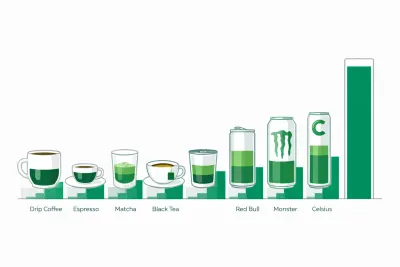
Caffeine Content Calculator — Coffee, Energy Drinks & Tea
Free caffeine content calculator showing how much caffeine is in coffee, espresso, tea, Red Bull, Monster and Celsius, plus your safe daily limit by weight.

Caffeine Half-Life Calculator: How Long Caffeine Lasts
Free caffeine half-life calculator showing how much caffeine is left at bedtime, your personal clearance rate, and the latest safe cutoff time to drink.

Calorie Calculator: Daily TDEE and Intake Estimate
Use our calorie calculator to estimate daily energy needs (TDEE) from age, sex, height, weight, and activity. See maintain, loss, and gain targets instantly.
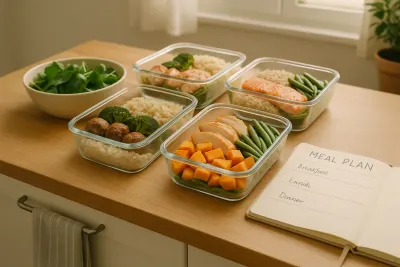
Calorie Deficit Calculator — Set a Safe Daily Deficit
Use our calorie deficit calculator to set a safe daily calorie target. Estimate TDEE, choose a weekly weight-loss rate, and see deficit, timeline, and guidance.

Calorie Density Calculator: Calories per Gram of Food
Free calorie density calculator that turns calories and grams into kcal per gram, sorts any food into four energy density bands, and compares two foods.