Use the Macronutrient Calculator
Turn calories into daily grams of protein, carbs, and fat. Choose from goal-based presets, set a custom macro split, and see per-meal breakdowns with calories per gram.
Your Stats
Daily Calories
Macro Ratio (Protein / Carbs / Fat)
Balanced (25% P / 45% C / 30% F): General health and mixed training.
Your Daily Macros
Macro breakdown
Educational tool, not medical advice. Check this tool’s method and limitations before interpreting a result. Talk to a qualified healthcare professional before making decisions about medication, diet, exercise, or treatment. See our Terms of Use.
Your rating helps improve Macronutrient Calculator — Ratios. We store only an anonymized vote (no personal data).
How to Use Macronutrient Calculator — Ratios
Step 1: Enter Your Stats
Choose units (metric or imperial), enter your sex, age, height, and weight for an accurate TDEE estimate.
Step 2: Set Daily Calories
Use the TDEE estimate with a goal (fat loss, maintain, or muscle gain) or enter a custom calorie target you already track.
Step 3: Pick a Macro Ratio
Select from 6 presets (Balanced, Fat Loss, Muscle Gain, Low-Carb, Endurance, Keto) or choose Custom to set your own protein, carb, and fat percentages.
Step 4: Choose Meals Per Day
Set meals per day (1–8) to see per-meal grams of protein, carbs, and fat for easy meal prep.
Step 5: Review Your Macros
View daily grams, calories per macro, a visual ratio chart, and your protein per body weight (g/kg and g/lb).
Step 6: Copy and Apply
Copy your results to share or save, then apply the plan to your grocery list and meal prep routine.
Key Features
- TDEE estimation with Mifflin-St Jeor equation and 5 activity levels
- 6 goal-based presets plus keto and fully custom macro percentages
- Instant gram and calorie breakdown for protein, carbs, and fat
- Per-meal macro splits for easy meal prep planning
- Protein per body weight reference (g/kg and g/lb)
- Visual donut chart and ratio bar for quick macro comparison
Understanding Your Macronutrient Calculator Results
Macronutrient Calculator Formula
Your daily macro grams come from calories and percentages. Protein and carbohydrate each provide 4 kcal per gram; fat provides 9 kcal per gram. If your daily target is C kcal and your chosen split is P% protein, Cb% carbs, and F% fat (P + Cb + F = 100), then:
- Protein grams = (C × P ÷ 100) ÷ 4
- Carb grams = (C × Cb ÷ 100) ÷ 4
- Fat grams = (C × F ÷ 100) ÷ 9
For example, at 2,100 kcal using 30% protein, 40% carbs, 30% fat: protein = 158 g, carbs = 210 g, fat = 70 g.
Reference Ranges & Interpretation
The Institute of Medicine's Acceptable Macronutrient Distribution Ranges (AMDR) suggest roughly 10–35% of calories from protein, 45–65% from carbohydrate, and 20–35% from fat for most healthy adults. Athletes, low-carb approaches, and specific health contexts may sit outside those bands by design. In practice, match your macro split to your primary goal: higher protein helps preserve lean mass during fat loss; higher carbs support endurance or high-volume training; moderate fats keep meals satisfying and support hormone health. If your energy or recovery lags, adjust your carbs up a little; if you are hungry while losing weight, try slightly more protein or fat.
Assumptions & Limitations
Calorie estimates are averages; day-to-day needs fluctuate with sleep, stress, non-exercise activity, and training. Macros guide meal structure but do not guarantee specific outcomes. The calculator assumes steady conditions and even per-meal splits; real life is messier. Revisit your plan when your weight changes by 5–10% or your training volume shifts. If you have a medical condition or dietary restrictions, consult a licensed professional before making changes.
Complete Guide: Macronutrient Calculator — Ratios

On this page
Use our macronutrient calculator to set protein, carbs, and fat for weight loss, maintenance, or muscle gain. Enter calories or estimate TDEE to get grams.
A macronutrient calculator turns your daily calorie target into grams of protein, carbohydrates, and fat. The macro split you choose should match your goal — whether that is fat loss, muscle gain, endurance, or general health. Our protein carb fat calculator keeps things practical: pick a goal, choose a ratio (or make your own), and see clear gram targets you can use for grocery lists and meal prep.
What are macronutrients?
Macronutrients are the three major energy sources in food: protein, carbohydrates, and fat. Each provides a different number of calories per gram and plays a distinct role in the body. Protein supports muscle repair, immune function, and satiety. Carbohydrates fuel moderate-to-high-intensity exercise and replenish muscle glycogen. Dietary fat carries fat-soluble vitamins (A, D, E, K), supports hormone production, and helps you feel satisfied after meals. The right balance depends on your body, activity level, health goals, and food preferences.
Calories per gram of protein, carbs, and fat
Understanding how many calories each macronutrient provides per gram is the foundation of any macro calculator. These conversion factors, known as Atwater factors, are used worldwide in nutrition science and food labeling.
| Macronutrient | Calories per gram | Example (100 g) |
|---|---|---|
| Protein | 4 kcal | 100 g × 4 = 400 kcal |
| Carbohydrate | 4 kcal | 100 g × 4 = 400 kcal |
| Fat | 9 kcal | 100 g × 9 = 900 kcal |
| Alcohol | 7 kcal | 100 g × 7 = 700 kcal |
Fat is over twice as calorie-dense as protein or carbs. This is why small changes in fat intake (adding an extra tablespoon of oil at 120 kcal) can shift your total calories more than the same weight of protein or carbs. Our macronutrient calculator uses these exact conversion factors to compute your daily gram targets.
How this macronutrient calculator works
The macro calculator converts your daily calories into grams using your selected macro percentages. You can either estimate calories from your body stats and activity level (a TDEE estimate using the Mifflin-St Jeor equation) or enter a calorie number you already track. Pick a preset ratio to get started fast, or choose Custom to set protein, carbs, and fat percentages manually. The calculator also shows a per-meal split so you can distribute macros evenly across the day. If you prefer a calories-first approach and haven't set a target yet, start with our calorie calculator or go straight to maintenance calories if you want to maintain your current weight.
Choosing calories: estimate or enter your own
If you don't have a calorie target, use the estimate mode, which applies the Mifflin-St Jeor equation and an activity multiplier to produce an approximate Total Daily Energy Expenditure (TDEE). From there, select a goal: modest losses typically use about −10% to −20% from TDEE, aggressive cuts go to −25%, while muscle gain often starts near +10% to +15%. You can refine this number week to week based on scale trends, performance, and how you feel. If you already track a daily calorie target, use the Custom option and proceed directly to your macro split.
For a dedicated view of your maintenance level, also try our calorie intake calculator and BMR calculator to understand your baseline resting needs. If you are planning a deficit, our calorie deficit calculator helps you pick a sustainable reduction.
Macro ratio presets explained
Presets are practical starting points — not rigid rules. Each macro split calculator preset is designed around a specific goal:
| Preset | P / C / F | Best for |
|---|---|---|
| Balanced | 25 / 45 / 30 | General health and mixed training |
| Fat Loss | 30 / 40 / 30 | Higher protein to preserve lean mass in a deficit |
| Muscle Gain | 30 / 50 / 20 | More carbs for training volume and recovery |
| Low-Carb | 30 / 25 / 45 | Reduced carbs, higher fat for satiety |
| Endurance | 20 / 55 / 25 | Carb-focused for long or frequent sessions |
| Keto | 20 / 5 / 75 | Very low carb, high fat ketogenic approach |
Use a preset that makes sense for your lifestyle and iterate based on adherence, hunger, and performance. You can switch presets at any time in the macro ratio calculator above.
Custom macro percentages (rules & examples)
Custom mode in the macro split calculator gives you full control, but keep one rule absolute: your macro percentages must total 100%. A simple framework is to select a protein range first, allocate carbs for training demands, and give the remainder to dietary fats for satiety and flexibility. For example, if you choose 30% protein at 2,100 kcal, that's about 158 g protein; if your training is moderate, you might try 40% carbs (≈210 g) and keep 30% fat (≈70 g). Small 5-point adjustments — e.g., 30/45/25 or 35/35/30 — make it easy to compare how you feel across two weeks.
How to calculate calories from grams of protein, carbs, and fat
Many people know their macro grams but want to verify total calories. The formula is straightforward: multiply protein grams by 4, carb grams by 4, and fat grams by 9, then add them together.
Total calories = (protein g × 4) + (carb g × 4) + (fat g × 9)
Example: 150 g protein, 200 g carbs, 65 g fat
= (150 × 4) + (200 × 4) + (65 × 9)
= 600 + 800 + 585 = 1,985 kcal
To find what percentage each macronutrient contributes, divide the calories from that macro by total calories and multiply by 100. For instance, 600 kcal from protein ÷ 1,985 total ≈ 30%. Use our macronutrient calculator above to run these conversions instantly — enter custom calories and adjust percentages until the gram outputs match your plan.
Protein targets by body weight
Many lifters and clinicians use a body-weight-based range of roughly 1.6–2.2 g per kilogram (0.7–1.0 g per pound) for active adults. Higher ends of the range help preserve lean mass during a calorie deficit; moderate values often suffice at maintenance. The macronutrient calculator shows your protein in g/kg and g/lb so you can compare instantly. If you want a protein-first tool, try our protein calculator or protein calculator for weight loss and compare results to your percentage-based split here.
Carbohydrates: performance, fiber, and timing
Carbs supply quick energy for moderate-to-high-intensity exercise and help replenish muscle glycogen. If you train hard or often, a higher carbohydrate share usually feels better. Include fiber-rich sources like fruit, legumes, and whole grains for appetite control and micronutrients. Around training, faster sources (e.g., rice, potatoes, sports drinks) can support performance and recovery. If you're exploring very low-carb approaches, see our keto macro calculator and keto calculator for carb-specific guidance. For a detailed look at daily carb needs, try our carb calculator.
Dietary fats: essentials and satiety
Fats provide essential fatty acids and carry vitamins A, D, E, and K. As a general guardrail, many people do well keeping fat within roughly 20–35% of calories, leaning higher if they prefer low-carb meals, and lower when carbohydrate is intentionally higher for performance. Choose mostly unsaturated fats (olive oil, nuts, seeds, fish), while keeping saturated fat moderate. For a broader view of your daily fat targets, check our meal plan calculator.
Per-meal macro planning and real-world tips
The macronutrient calculator shows per-meal grams to simplify planning. Even splits are easy for batch cooking, but you can bias meals toward training windows — a little more protein at breakfast can boost satiety; more carbs before and after workouts can improve performance and recovery. Keep high-fiber vegetables and a lean protein at most main meals to make adherence easier. If you need help timing your meals around training, our calories burned calculator helps estimate energy expenditure on demanding days.
Troubleshooting and common macro calculator mistakes
The most common mistake is changing too much at once. Adjust one macro by 5 percentage points and reassess after 10–14 days. If weight loss stalls, reduce calories slightly (≈150–250 kcal/day) or add a little activity; if energy crashes, bring carbs up before training. If you hit protein but overshoot calories, check cooking oils, dressings, and snacks — fat calories add up fast.
Macronutrient calculator tips for better results
Use this macronutrient calculator as a living plan: update your stats as body weight or training volume changes, and keep the macro split that makes eating easier — not harder. If you hit plateaus, try our calorie deficit calculator to map an appropriate reduction. For endurance blocks, test a higher carb preset and monitor pacing and recovery in a training log. Combine the macro calculator with a body fat percentage calculator to track body composition changes alongside scale weight.
Real-world macro split examples for three different goals
Example 1 — Fat loss (new lifter): Jordan, 33, light activity, estimates 2,300 kcal TDEE. For fat loss, Jordan chooses a −15% target (≈1,955 kcal) and starts with the Fat Loss preset (30/40/30). That yields ≈147 g protein, 196 g carbs, and 65 g fat. After two weeks, Jordan notices lingering soreness and bumps carbs to 45% (30/45/25). Weight loss continues and gym performance improves.
Example 2 — Endurance athlete: Casey, 28, trains five days per week and maintains weight near 2,600 kcal. The Endurance preset (20/55/25) sets ≈130 g protein, 358 g carbs, and 72 g fat. Casey places more carbs pre- and post-run and keeps a protein-focused breakfast to improve satiety.
Example 3 — Lean bulk: Alex, 40, lifts four days per week and wants slow muscle gain. A +10% surplus from a 2,400 kcal TDEE is ≈2,640 kcal. The Muscle Gain preset (30/50/20) delivers ≈198 g protein, 330 g carbs, and 59 g fat. Alex tracks weekly measurements and backs off to +5% if waist circumference rises too quickly.
Adjusting macros over time: a simple feedback loop
Keep the loop tight and predictable: set a split, run it for at least 10–14 days, evaluate weight trend, training quality, and appetite, then adjust a single variable. If weight drops faster than planned, add ~100–200 kcal (usually from carbs or fat). If progress stalls, reduce ~150–250 kcal or increase step count by ~1–2k per day. Use the same scale, same time of day, and a rolling 7-day average. If your routine changes (more steps, more workouts), revisit calories and your macro split in the calculator here.
Vegetarian and vegan macro planning
Plant-forward diets can hit strong protein targets with thoughtful choices: tofu, tempeh, edamame, seitan, lentils, and soy yogurt are convenient anchors. Mix complementary proteins across the day and include a source of vitamin B12 as advised by your clinician. If carbs run high from beans and grains, pull a little from fat or increase total calories around training days. Our carb calculator can help you experiment with different carbohydrate levels while keeping protein steady.
Label reading, dining out, and hidden calories
Oils, butters, creamy sauces, and dressings hide calories. When eating out, a grilled protein with a starch and vegetables is predictable; ask for sauces on the side and track a conservative estimate. At home, weigh cooking oils and use spray oils when appropriate. A tablespoon of olive oil adds ~120 kcal. When labels show ranges, log the higher number until you build a margin of error into your day.
Fiber, net carbs, and sugar alcohols
Some plans track “net carbs” (total carbs minus fiber and certain sugar alcohols). This can help appetite while keeping more vegetables and legumes in the diet. If you track net carbs, stay consistent within your own system. Performance-oriented athletes usually track total carbs for clarity. Our keto macro calculator includes a net-carb approach if you want to compare methods.
Hydration, sodium, and performance
Macronutrients live inside a bigger context: hydration, sleep, and stress. For longer sessions or hot climates, sodium intake often matters as much as water, especially when carbs are lower. Track how you feel during workouts and adjust fluids and electrolytes accordingly. If your training load is high, use our calories burned calculator to gauge energy expenditure on demanding days and consider targeted carbohydrate around sessions.
When to recalculate your macros
Recalculate macros when body weight changes by ~5–10%, your job or training schedule shifts, or appetite signals change notably. Track weekly body-measure averages, gym performance, sleep, and hunger. Combine objective data with subjective notes so adjustments are easy to defend. Use our ideal body weight calculator or lean body mass calculator to track composition alongside your macro targets.
Final checklist: set, test, review
1) Choose calories (estimate or custom). 2) Pick a macro split (preset or custom) that you can follow for two weeks. 3) Use the per-meal view to plan breakfast, lunch, dinner, and snacks. 4) Track progress with a simple weekly routine. 5) Adjust a single variable at a time. 6) Repeat. When in doubt, favor adherence: the best macro plan is the one you can sustain.
References: Acceptable Macronutrient Distribution Ranges (AMDR) from the U.S. Institute of Medicine. See “Dietary Reference Intakes” via the National Academies Press and related guidance from major health organizations. Protein recommendations based on systematic reviews published in the British Journal of Sports Medicine and the Journal of the International Society of Sports Nutrition. External links open in a new tab. National Academies — DRIs. Morton et al. 2018 — Protein meta-analysis.

Written by Jurica Šinko
Founder & CEO
Entrepreneur and health information advocate, passionate about making health calculations accessible to everyone through intuitive digital tools.
View full profileFrequently Asked Questions
What does the macronutrient calculator do?
It converts your daily calories into grams of protein, carbohydrates, and fat using preset ratios or custom percentages. It also shows calories from each macro, per-meal splits, and your protein relative to body weight (g/kg and g/lb).
How many calories per gram of protein, carbs, and fat?
Protein provides 4 kcal per gram, carbohydrates provide 4 kcal per gram, and fat provides 9 kcal per gram. Alcohol provides 7 kcal per gram but is not counted as a macronutrient in this calculator.
How do I pick the best macro ratio for my goal?
Start with a preset that matches your goal: Fat Loss (30/40/30) for higher protein in a deficit, Muscle Gain (30/50/20) for more carbs to fuel recovery, Endurance (20/55/25) for long sessions, or Balanced (25/45/30) for general health. Adjust based on energy, recovery, and adherence.
How do I calculate total calories from grams of protein, carbs, and fat?
Multiply protein grams by 4, carb grams by 4, and fat grams by 9, then add them together. For example, 150 g protein + 200 g carbs + 65 g fat = (600 + 800 + 585) = 1,985 kcal.
Is the macronutrient calculator accurate?
It applies established Atwater calorie conversion factors and offers an optional TDEE estimate using the Mifflin-St Jeor equation. Real-world needs vary with sleep, stress, and activity, so refine macros based on your weekly progress and how you feel.
How often should I update my macros?
Recalculate when body weight changes by ~5-10%, your training volume shifts significantly, or your goals change (e.g., switching from fat loss to maintenance or muscle gain). Most people benefit from reassessing every 4-8 weeks.
Does this replace medical or nutrition advice?
No. This macronutrient calculator is an educational tool. For medical nutrition therapy, eating disorders, or specific health conditions, speak with a registered dietitian or licensed healthcare professional.
Related Calculators

BMR Calculator: Basal Metabolic Rate by Proven Formulas
Use our BMR calculator to estimate your basal metabolic rate using Mifflin–St Jeor or revised Harris–Benedict formulas. Choose metric or US units and see TDEE.
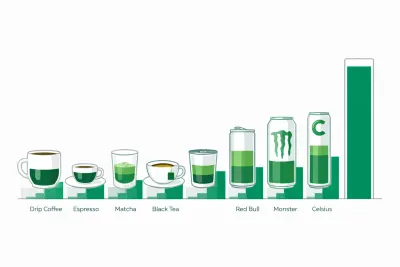
Caffeine Content Calculator — Coffee, Energy Drinks & Tea
Free caffeine content calculator showing how much caffeine is in coffee, espresso, tea, Red Bull, Monster and Celsius, plus your safe daily limit by weight.

Caffeine Half-Life Calculator: How Long Caffeine Lasts
Free caffeine half-life calculator showing how much caffeine is left at bedtime, your personal clearance rate, and the latest safe cutoff time to drink.

Calorie Calculator: Daily TDEE and Intake Estimate
Use our calorie calculator to estimate daily energy needs (TDEE) from age, sex, height, weight, and activity. See maintain, loss, and gain targets instantly.

Calorie Deficit Calculator — Set a Safe Daily Deficit
Use our calorie deficit calculator to set a safe daily calorie target. Estimate TDEE, choose a weekly weight-loss rate, and see deficit, timeline, and guidance.

Calorie Density Calculator: Calories per Gram of Food
Free calorie density calculator that turns calories and grams into kcal per gram, sorts any food into four energy density bands, and compares two foods.