Use the Fasting Calculator
Plan daily fasts and eating windows with clear start/end times. The fasting calculator supports presets like 16:8 or custom schedules.
Start your fasting timer
Choose a preset
Today’s schedule
- Eating:12:00 → 20:00
- Fasting:20:00 → 12:00
- Timezone: —
—
Notes
- The schedule spans midnight if needed and updates in real time.
- Tap Set to now to anchor the window to your current time.
- Change hours to create a custom fasting/eating split.
Educational tool, not medical advice. Check this tool’s method and limitations before interpreting a result. Talk to a qualified healthcare professional before making decisions about medication, diet, exercise, or treatment. See our Terms of Use.
Your rating helps improve Fasting Calculator — Timing & Windows. We store only an anonymized vote (no personal data).
How to Use Fasting Calculator — Timing & Windows
Step 1: Pick a mode
Choose Daily schedule for a repeating IF window, or One‑time fast for a single timed fast.
Step 2: Set hours
Select a preset like 16:8 or enter custom fasting and eating hours.
Step 3: Choose an anchor
Anchor by eating start or fasting start, then set the clock time.
Step 4: Review the plan
See exact start/end times, live countdown, and which phase you're in now.
Step 5: Adjust as needed
Use Set to now for quick changes; switch to One‑time fast for longer sessions.
Key Features
- Preset IF schedules (12:12, 14:10, 16:8, 18:6, 20:4, OMAD)
- Custom fasting and eating window hours
- Anchor by eating start or fasting start time
- Live countdown timer with progress bar
- One‑time fast mode with duration or exact end time
- Mobile‑first design with timezone awareness
Understanding Results
Formula
The calculator uses simple time arithmetic. You enter a start time and choose fasting and eating hours. We add the eating hours to the start to get the eating window, then add the fasting hours to get the fasting window. In one‑time mode, total duration is the difference between end and start; live progress is elapsed ÷ total.
Reference Windows & Interpretation
Common daily splits include 12:12, 14:10, 16:8, 18:6, 20:4, and OMAD. The "right" choice depends on your schedule and comfort. Many people begin with 12–14 hours and extend gradually. The live countdown shows when the next phase starts so you can plan meals, training, and sleep around it.
Assumptions & Limitations
This tool provides timing only; it does not offer medical advice or nutrition prescriptions. Fasting may not be appropriate for everyone. If you feel unwell while fasting, stop and consider eating. People who are pregnant, breastfeeding, underweight, on certain medications, or with specific medical conditions should seek professional guidance before fasting.
Complete Guide: Fasting Calculator — Timing & Windows

On this page
You finish dinner at 7:30 PM, set a mental note to skip breakfast, and plan to eat again at noon. Sounds simple—until a mid-morning meeting runs long, you lose track of the hours, and by 11 AM you're raiding the break room without realizing your fasting window had 45 minutes left. That missed window is the most common failure point in intermittent fasting, and it's entirely avoidable with a fasting calculator that tracks time for you.
About 36% of American adults have experimented with some form of time-restricted eating. The ones who stick with it almost always use an external timer—phone alarm, app, or a tool like this fasting calculator—rather than willpower alone. Below, we'll walk through choosing a schedule, building a plan you can actually repeat, and pairing fasting with the nutrition and training tools that make the biggest difference.
Why timing matters more than willpower
A fasting calculator helps you plan and keep track of fasting and eating periods throughout the day. Instead of mental math, the tool shows precise start and end times based on your chosen pattern. For intermittent fasting (IF), you might select 16 hours fasting and 8 hours eating (16:8). The calculator then anchors those windows to a time you choose, so your plan is easy to follow and repeat. For a one‑time fast, it calculates the end time and live progress so you always know how far you've come.
While many people use a fasting calculator to support weight‑management or habit goals, the tool itself does not prescribe nutrition advice. It simply provides a reliable schedule. Always consider your personal context, health status, and daily demands before changing your routine.
How to use the fasting calculator
Start by deciding whether you want a daily schedule or a single extended fast. In Daily schedule, choose a preset like 14:10, 16:8, or 18:6—or enter custom hours. Then pick your anchor: eating window start or fasting start. Set the time, and the calculator displays your eating window, fasting window, a live progress bar, and the next phase. For best results, keep the anchor consistent across days so your routine feels predictable.
In One‑time fast, set a start time, then either select a duration (hours and minutes) or enter an exact end date and time. You'll see total duration, status (not started, in progress, or completed), and a live countdown. If you're new to fasting, many people begin with 12–14 hours and build up gradually.
Popular fasting schedules: 12:12, 14:10, 16:8, 18:6, 20:4, OMAD
Intermittent fasting typically alternates a daily fasting window with an eating window. Common splits include 12:12 (entry level), 14:10, 16:8, 18:6, 20:4, and OMAD (one meal a day, roughly 23:1). The best schedule depends on lifestyle fit and how you feel during the day. The calculator offers all of these presets and lets you set a custom split if your day requires something different.
A practical approach is to align the eating window with your social life and energy needs. For example, if lunches and early dinners matter most, you might start your eating window at noon for a 16:8 schedule (eat noon–8 PM, fast 8 PM–noon). If mornings are easier, anchor an earlier start. The calculator does the math and carries your window across midnight when needed.
Worked example: building a 16:8 schedule around a 12 PM lunch
Say you want to eat your first meal at noon. In the fasting calculator, select 16:8 and set Eating window start to 12:00 PM. The tool instantly shows:
- Eating window: 12:00 PM – 8:00 PM (8 hours)
- Fasting window: 8:00 PM – 12:00 PM next day (16 hours)
- Overnight overlap: roughly 7–8 of those 16 fasting hours happen while you sleep
If a friend invites you to a 9 PM dinner on Wednesday, tap Set to now at 1 PM, switch to 14:10 for that day (eating 1 PM–11 PM), and return to 16:8 on Thursday. One flexible day won't derail the habit—rigid rules that ignore real life will.
Planning your day: picking start times and aligning with lifestyle
Your anchor time shapes how the rest of the day flows. Many choose eating window start because it mirrors a lunch or family meal. Others anchor the fasting start to match a nightly cutoff that keeps evening snacking in check. Either way, consistency is more important than the exact clock time. If your schedule changes (meetings, events, workouts), the calculator updates everything instantly so you can adapt.
For day‑to‑day flexibility, use the Set to now shortcut when plans shift. This pins the window to your current time for that day without breaking the overall habit. If you need to track calories or macros alongside fasting, try pairing this tool with our Calorie Calculator and Maintenance Calorie Calculator. If protein targets are a priority, the Protein Calculator helps set a reasonable range for your goals.
Understanding results: windows, countdowns, and progress
The output shows an eating window and a fasting window with exact start and end times. A color bar fills as you move through the current phase. If you're in an eating window, you'll see when fasting begins; if you're fasting, you'll see when eating resumes. The display updates every second, so you always know where you are and how long you have left.
For one‑time fasts, you'll see Start, End, Duration, and live Status. If the fast hasn't started, the tool counts down to your start. Once underway, it shows time remaining. When finished, status switches to Completed so you can decide what's next—perhaps a recovery meal or returning to your normal daily pattern.
One‑time fasts vs daily routines
A daily routine (like 16:8) focuses on rhythm—same pattern, most days. You learn when hunger tends to rise, when energy is reliable, and how meals fit around work and family. A one‑time fast is a different tool: it's time‑limited, often longer than your daily window, and useful for a reset after travel or holidays. The calculator supports both approaches, so you don't need separate apps.
If you also track sleep and wake times, try our Sleep Calculator to plan a smoother evening cutoff and morning routine. Some people feel their best when fasting overlaps with sleep, minimizing perceived restriction while still honoring the schedule.
Hydration, electrolytes, and appetite cues
Hydration supports comfort during a fast. Many people include water, black coffee, unsweetened tea, and sometimes unsweetened electrolyte beverages during fasting hours—always confirm what fits your approach. You can estimate a reasonable daily water target with our Water Intake Calculator. Thirst, fatigue, and headaches often improve with adequate fluids, especially in hot climates or on active days.
If you feel unwell while fasting—dizzy, shaky, nauseated—pause the fast and consider eating. Persistent symptoms warrant medical guidance. Fasting is not right for everyone; be cautious, and when in doubt, choose comfort and safety.
Training while fasting: strength, cardio, and Zone 2
People successfully train on various fasting schedules, but your tolerance is individual. Light to moderate activity, including Zone 2 cardio, often pairs well with a fasted morning. For reference, see your personal target with the Zone 2 Heart Rate Calculator. If you lift weights, experiment with session timing inside your eating window or shortly before it opens to support recovery.
To understand energy cost, our Calories Burned Calculator can estimate approximate expenditure by activity and duration. Aligning training and meals is highly personal: some prefer a pre‑workout snack; others feel better training fasted and refeeding afterward. Listen to your body and adjust.
Calories, macronutrients, and weight goals
Fasting changes when you eat; body weight mostly reflects how much you eat over time. To plan portions, start with an estimate of daily energy needs using the TDEE Calculator or the Maintenance Calorie Calculator. If you're pursuing fat loss, our Calorie Deficit Calculator can provide a reasonable weekly target. For muscle or strength goals, a sufficient protein range matters—use the Protein Calculator or explore a Keto Calculator if that's your preference.
None of these tools offer medical advice. They provide numbers and timing to help you make consistent, thoughtful choices. The right plan balances structure with flexibility: fit meals around your calendar, choose a split you can repeat, and accept that some days will change. Consistency—not perfection—drives outcomes.
Safety, limitations, and when to seek guidance
Fasting is not appropriate for everyone. People who are pregnant, breastfeeding, underweight, managing certain medical conditions, taking specific medications, or with a history of disordered eating should seek medical guidance before fasting. If you experience concerning symptoms, stop the fast and consult a qualified professional.
For general background, see overviews from the NIH/NIDDK and the CDC Healthy Weight. These resources explain fundamentals of weight regulation and why sustainable routines matter more than short‑term extremes.
Travel, shift work, and time zones
Travel and rotating shifts complicate eating times. The calculator automatically follows your device's local time and displays your UTC offset for clarity. If your day swings between overnight and daytime hours, anchor your eating window to the part of the shift when breaks are predictable. Use the tool's Set to now button to reset quickly after a time‑zone change.
Practical tips to get started and stick with it
Start with a gentle split such as 12:12 or 14:10 for two weeks. Log how you feel, how sleep changes, and whether your eating window aligns with work and family. Increase fasting length only if you genuinely feel good doing so. Keep water nearby, plan satisfying meals, and avoid all‑or‑nothing thinking—one off‑schedule day won't undo your progress. Over time you'll find a repeatable pattern that fits your life.
Useful tools to pair with fasting:
- Intermittent Fasting Calculator — plan schedules if you prefer a different layout.
- Calorie Calculator — estimate daily intake for your goal.
- Maintenance Calorie Calculator — find a steady intake for weight stability.
- Water Intake Calculator — set a hydration target during fasting days.
- Zone 2 Heart Rate Calculator — personalize easy aerobic training.
Hydration and circadian timing basics
Most people feel better fasting when they drink enough water and keep caffeine intake similar day‑to‑day. Light electrolytes can help on hotter days or with longer fasts. If sleep is a priority, consider an eating window that ends 2–3 hours before bedtime and keep late caffeine modest—your circadian rhythm will thank you. Use the fasting calculator to anchor windows around your actual schedule rather than forcing a pattern that fights your mornings or nights.

Written by Marko Šinko
Co-Founder & Lead Developer
Computer scientist and developer working on calculator implementation, data handling, and accessible interfaces. His authorship describes development work, not independent medical review.
View full profileFrequently Asked Questions
How do I find my fasting window?
Enter your preferred eating start time and select a fasting ratio such as 16:8. The fasting calculator instantly shows your fasting window with exact start and end times. Most people anchor fasting around sleep so the longest stretch passes overnight.
What is a 16:8 fasting schedule?
A 16:8 schedule means 16 hours of fasting followed by an 8-hour eating window each day. For example, eating from noon to 8 PM and fasting from 8 PM to noon the next day. It is one of the most popular intermittent fasting patterns because most of the fast occurs during sleep.
How do I know what my eating window is when fasting?
The fasting calculator displays your eating window with precise clock times after you pick a ratio and anchor time. If you chose 16:8 starting at 12 PM, your eating window runs 12 PM to 8 PM and fasting runs 8 PM to 12 PM the next day.
Does the fasting calculator support one-time fasts?
Yes. Switch to One-time fast mode, set a start time, then choose a duration or exact end time. The tool shows a live countdown, elapsed time, and completion status so you always know where you stand.
Will coffee or water break my fast?
Plain water and black coffee without sugar or cream are generally considered acceptable during most fasting protocols. Some stricter protocols exclude all calories including coffee. Check your specific plan and adjust based on your goals.
Can I exercise while intermittent fasting?
Many people exercise during their fasting window without problems, especially for light to moderate activity like walking or Zone 2 cardio. For intense strength training, scheduling your session near the start of your eating window helps with recovery and fueling.
Is intermittent fasting safe for everyone?
No. People who are pregnant, breastfeeding, underweight, under 18, on diabetes medications, or with a history of eating disorders should consult a doctor before fasting. Stop any fast immediately if you feel dizzy, shaky, or unwell.
How do I pick the best fasting schedule for my lifestyle?
Start with 12:12 or 14:10 for one to two weeks to build the habit. Move to 16:8 only if you feel comfortable and your sleep, energy, and mood stay stable. The best schedule is one you can repeat consistently without disrupting work, family meals, or training.
Related Calculators

BMR Calculator: Basal Metabolic Rate by Proven Formulas
Use our BMR calculator to estimate your basal metabolic rate using Mifflin–St Jeor or revised Harris–Benedict formulas. Choose metric or US units and see TDEE.
Caffeine Content Calculator — Coffee, Energy Drinks & Tea
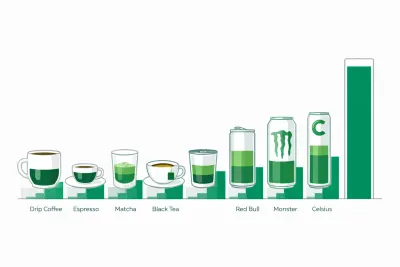
Free caffeine content calculator showing how much caffeine is in coffee, espresso, tea, Red Bull, Monster and Celsius, plus your safe daily limit by weight.
Caffeine Half-Life Calculator: How Long Caffeine Lasts
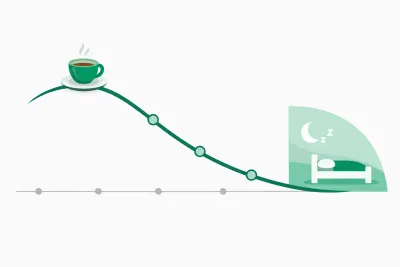
Free caffeine half-life calculator showing how much caffeine is left at bedtime, your personal clearance rate, and the latest safe cutoff time to drink.

Calorie Calculator: Daily TDEE and Intake Estimate
Use our calorie calculator to estimate daily energy needs (TDEE) from age, sex, height, weight, and activity. See maintain, loss, and gain targets instantly.

Calorie Deficit Calculator — Set a Safe Daily Deficit
Use our calorie deficit calculator to set a safe daily calorie target. Estimate TDEE, choose a weekly weight-loss rate, and see deficit, timeline, and guidance.

Calorie Density Calculator: Calories per Gram of Food
Free calorie density calculator that turns calories and grams into kcal per gram, sorts any food into four energy density bands, and compares two foods.